Setup
How to install NexTradeAI
Android APK, iPhone Home Screen, Mac Safari Add to Dock, or Chrome Install as app.
Mobile
Android
Install the APK directly on your phone.
Tap Download Android APK below.
Open the file and allow install from unknown sources if prompted.
Launch NexTradeAI and sign in with your license.
Apple
iPhone & iPad
Add the web app to your Home Screen in Safari.
Open the app in Safari (not Chrome).
Tap Share → Add to Home Screen.
Open the new icon, then enable notifications if asked.
Sign in with your licensed email / mentor key.
Mac
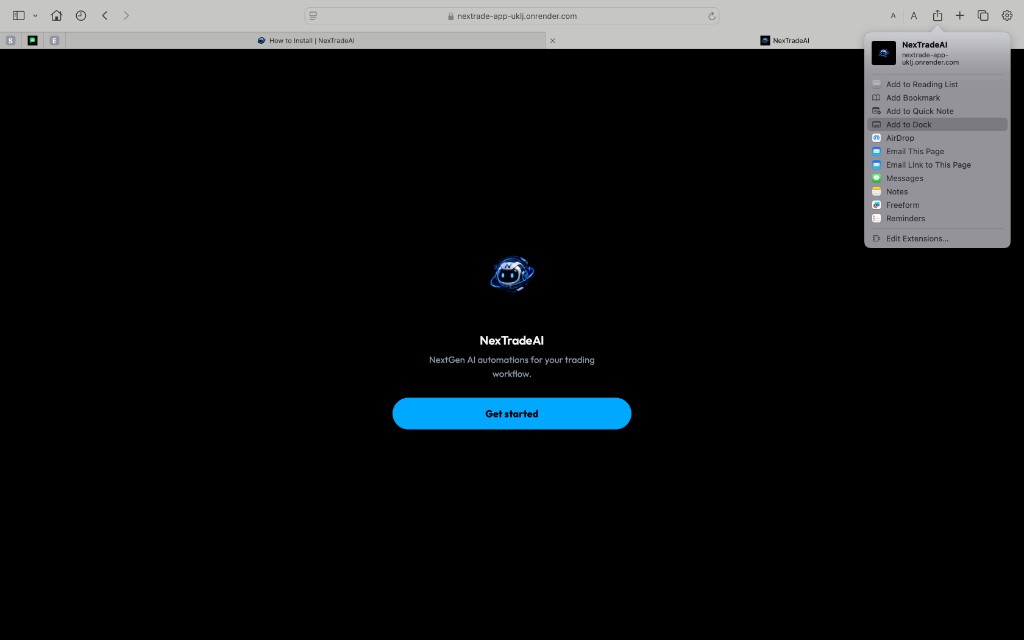
Mac — Safari Add to Dock
Install NexTradeAI as a Dock app in Safari on macOS.
Open the web app in Safari.
Click the Share button in the toolbar, then choose Add to Dock.
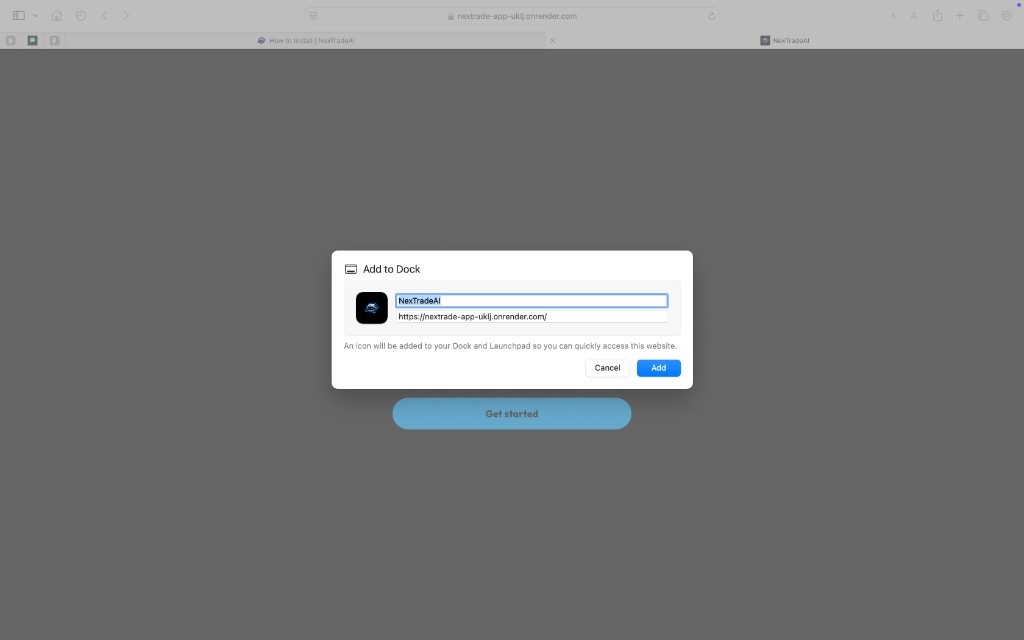
Confirm the name and URL, then click Add. An icon appears in your Dock and Launchpad.
Open it from the Dock and sign in with your licensed email / mentor key.
Windows · Chrome
PC — install as a Chrome web app
Use Google Chrome on Windows, Mac, or Linux to install NexTradeAI like a desktop app.
On your computer, open Chrome.
Open the NexTradeAI web app.
At the top right, select More (⋮) → Cast, save, and share → Install page as app…. On some sites, use the Install icon in the address bar.
Follow the on-screen prompts. NexTradeAI opens in its own window from your desktop or launcher.
Sign in with your licensed email / mentor key.